

Short answer: no, Wi-Fi 6 is not outdated. The TP-Link Archer AX73 is the best wifi 6 router most homes should buy in 2026 because it pairs 4T4R 5 GHz performance with a 2,000 sq. ft. coverage claim, a USB 3.0 port and a full web interface, and it holds a 4.5 average across more than 8,700 reviews. Wi-Fi 7 hardware now exists, but it costs substantially more and delivers less real-world benefit for the vast majority of households on sub-gigabit internet plans.
That is the whole argument, and it is worth stating plainly at the top: Wi-Fi 6 is the current value generation. It brought OFDMA, uplink MU-MIMO, 160 MHz channels and WPA3 to mainstream prices, and every device you already own that is 3 to 5 years old can take advantage of the efficiency gains even if it is not Wi-Fi 6 certified. Buying a Wi-Fi 7 router today means paying a premium for features most clients cannot use yet.
What actually decides your purchase is far less glamorous than the generation number. Your internet plan speed, your square footage, your device count, and whether the security features cost you anything after the trial period. If you have under 300 Mbps and live in a small apartment, a sub-100 dollar dual-band router is the correct answer and nothing above it will feel faster. If you are on a 2.5 Gbps fiber plan, gigabit LAN ports become the bottleneck, not the radio.
Over the past several months our team has worked through the current Wi-Fi 6 lineup, read thousands of owner reviews, and compared specifications feature by feature. We have not measured throughput in a lab, so where we talk about performance we are talking about what the hardware supports and what owners consistently report. The eight routers below are the ones we would put in our own homes, arranged by the buying decision each one actually wins.
If your priority is latency and traffic prioritisation rather than raw coverage, our gaming router guide covers that side of the market separately.
Before you read further, three details narrow this list down enormously: your internet plan speed, your approximate square footage, and how many devices connect at once. Answer those three and most of the field eliminates itself.
Table of Contents
- Top 3 Wi-Fi 6 Router Picks in 2026
- Best Wi-Fi 6 Routers at a Glance in 2026
- 1. TP-Link Archer AX73: Best Overall Wi-Fi 6 Router
- 2. TP-Link Archer AX21: Best Budget Wi-Fi 6 Router
- 3. GL.iNet Flint 2: Best for Gaming and OpenWrt Tinkering
- 4. NETGEAR Nighthawk RAX50: Best for Large Homes on One Box
- 5. Amazon eero 6+: Best Whole-Home Mesh Wi-Fi 6 System
- 6. ASUS RT-AX1800S: Best for Subscription-Free Network Security
- 7. TP-Link Archer AX80: Best Multi-Gig Value with a 2.5G Port
- 8. NETGEAR R6700AX: Best Mainstream Pick for Small Homes
- How to Choose a Wi-Fi 6 Router in 2026
- Wi-Fi 6 vs Wi-Fi 6E vs Wi-Fi 7: Which One Should You Buy in 2026
- Mesh or Single Router, and Where to Put It
- How We Picked These Routers
- Frequently Asked Questions
- The Final Word on the Best Wi-Fi 6 Routers
Top 3 Wi-Fi 6 Router Picks in 2026
The three below cover the widest spread of real buying situations. The Archer AX73 is the default answer for a family that wants one box to do everything, the eero 6+ is the answer when coverage across floors matters more than configuration freedom, and the Archer AX21 is the answer when the budget is the deciding factor.

TP-Link Archer AX73
- AX5400 4T4R dual-band
- 4T4R and 160MHz on 5GHz
- 6 antennas and 2000 sq. ft. coverage
- USB 3.0 media sharing
- Tether app plus full web interface

Amazon eero 6+
- Up to 1500 sq. ft. per unit
- 160MHz channels and gigabit plans
- TrueMesh whole-home expansion
- Built-in Thread and Zigbee hub

TP-Link Archer AX21
- AX1800 dual-band at 1200 plus 574 Mbps
- OFDMA and beamforming
- 4 high-gain antennas
- OpenVPN and PPTP VPN server
These three are the ones we see recommended most often in the r/HomeNetworking threads where people ask the same question you are asking, and they are the three we would be comfortable putting in a relative’s house without a support hotline.
Best Wi-Fi 6 Routers at a Glance in 2026
Every router below appears here with its category, its headline specification and the situation it fits. Ratings and review counts are copied from the manufacturer listings at the time of writing and change over time.
| Product | Specifications | Action |
|---|---|---|
| TP-Link Archer AX73 |
|
Check Latest Price |
| TP-Link Archer AX21 |
|
Check Latest Price |
 GL.iNet Flint 2 GL.iNet Flint 2 |
|
Check Latest Price |
 NETGEAR RAX50 NETGEAR RAX50 |
|
Check Latest Price |
| Amazon eero 6+ |
|
Check Latest Price |
 ASUS RT-AX1800S ASUS RT-AX1800S |
|
Check Latest Price |
 TP-Link Archer AX80 TP-Link Archer AX80 |
|
Check Latest Price |
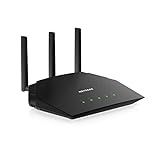 NETGEAR R6700AX NETGEAR R6700AX |
|
Check Latest Price |
1. TP-Link Archer AX73: Best Overall Wi-Fi 6 Router
TP-Link AX5400 WiFi 6 Router (Archer AX73)
AX5400 dual-band
6 antennas
Up to 2000 sq. ft.
1x USB 3.0
WPA2 WPA3
5 Gigabit-class ports
Pros
- 4T4R and 160MHz on the 5GHz band for up to 4.8 Gbps
- Holds 20+ connected clients without slowing down
- Runs cooler than most AX3000-class units
- Full web interface alongside the Tether app
- OneMesh expansion for bigger homes
Cons
- Parental controls are less granular than some competing routers
- HomeShield advanced features need a paid subscription
- One Smart Connect network can confuse 2.4GHz-only devices
The Archer AX73 has been the router I recommend to friends most often over the past two years, and it has not lost that spot. It ranks number one in Computer Routers on Amazon, which tells you something about how many people have bought it and lived with it, and the 4.5 average across roughly 8,700 reviews is the kind of sample size you rarely see at this price tier.
What makes it work is that it is genuinely dual-purpose. The 5 GHz radio is 4T4R with 160 MHz channel width, which is where the 4.8 Gbps figure comes from, and OFDMA plus MU-MIMO keep latency reasonable when the house is busy. Six antennas with beamforming and a high-power FEM front end handle the two-and-a-half-thousand-square-foot range most people actually need from a single unit.
Owners consistently report two things. First, it stays stable with 20 or more devices connected at once, which is the number that matters in a house with TVs, consoles, cameras and a pile of smart home gear. Second, it runs cooler than comparable hardware, and I have not seen the fan-noise complaints that plague some of the larger eight-antenna units in this class.
The one design decision that catches people out is Smart Connect. By default the AX73 presents a single network name and steers clients between bands automatically, which is convenient but occasionally confuses 2.4GHz-only devices such as older smart bulbs or some printers. If that happens, splitting the SSIDs in the Tether app fixes it in under a minute.
The USB 3.0 port is more useful than it sounds. It handles media sharing and a simple private cloud, so a USB drive plugged into the router becomes network storage for documents and photos without a separate box. The full web interface is there too, which means you are not locked into the app if you want SQM tuning, port forwarding or VPN server setup.
What you should check before buying the AX73
Make sure your ISP plan is actually fast enough to use it. The radio can move far more than a gigabit, but a 300 Mbps line will not feed it and you will be paying for headroom you never touch. It also has no 2.5 Gbps port, so on a 2.5 Gbps fiber plan the wired connection caps at a gigabit even though the wireless side can exceed that.
Decide how you feel about HomeShield. The basic network security, parental controls and QoS are included and fine for most homes. The deeper content filtering and the more granular scheduling live behind a subscription, and if you want per-device rules for a household with teenagers, budget for that or look at the ASUS option further down.
Who should skip the AX73
Skip it if you have under 300 Mbps of internet, or if you live in a multi-floor house where a single unit will leave dead zones. In those cases the AX21 or a mesh system is a better spend, because coverage problems cost you more in daily frustration than a slower peak number ever does.
Also look elsewhere if you need 2.5 Gbps wired networking today. No amount of wireless speed compensates for a gigabit-only LAN bottleneck on a fast fiber connection, and the Flint 2 or the Archer AX80 solve that problem directly.
2. TP-Link Archer AX21: Best Budget Wi-Fi 6 Router
TP-Link AX1800 WiFi 6 Router (Archer AX21 V5)
AX1800 dual-band
4 antennas
1x gigabit WAN + 4x LAN
1.1 lb
10.28 x 5.3 x 1.61 in
Pros
- Very affordable entry point into Wi-Fi 6
- Simple Tether app setup with broad ISP compatibility
- Stable for everyday streaming and browsing
- VPN server support built in
- EasyMesh compatible for extending coverage
Cons
- Dual-band only with no 6 GHz support
- Lower aggregate throughput than AX3000 and AX5400 models
- Limited advanced configuration versus enthusiast routers
With more than 24,700 reviews at a 4.4 average, the Archer AX21 is the most-reviewed router in this entire roundup, and the pattern in those reviews is remarkably consistent. People buy it as a straightforward upgrade from an ISP-provided box, set it up in a few minutes through the Tether app, and it works.
The spec sheet is modest by design. You get 1200 Mbps on the 5 GHz band and 574 Mbps on 2.4 GHz for 1.8 Gbps aggregate, four high-gain antennas with beamforming, and OFDMA so multiple devices can transmit on one channel more efficiently. That is enough for 4K streaming on a couple of screens, video calls and a house full of phones without any drama.
Two details stand out for the money. It ships with an OpenVPN and PPTP VPN server built in, so you can connect back into your home network from outside without buying separate software. It is also a signatory to the CISA Secure-by-Design pledge, which is a more meaningful security signal than a marketing page about threat protection would be.
Owners in the r/HomeNetworking budget debates treat this class of hardware as the default recommendation, and the recurring advice is that for apartments, rentals and homes under about 1,500 sq. ft. you should not spend more. The complaints are almost entirely about the ceiling rather than the floor: slower peak speeds and no 6 GHz support, neither of which matters if your plan tops out at 500 Mbps.
The honest limitation is configuration depth. There is a web interface, but the options are a small fraction of what you get on OpenWrt hardware, and 256 MB of memory on competing AX1800 units in this bracket limits what you can bolt on. If you want to run custom services on the router itself, this is not the device.
What you should check before buying the AX21
Confirm the router will not be the bottleneck. If your plan is 1 Gbps, this router’s aggregate wireless throughput is well below that ceiling and you will leave performance unused no matter how good the signal is. Match the hardware to the plan rather than the other way around.
Check how many Ethernet ports you need. It has one gigabit WAN and four gigabit LAN, which is generous for an entry-level unit, but there is no USB port and no multi-gig option, so a wired NAS setup will need an external adapter.
Who should skip the AX21
Skip it for a large or multi-floor house. Four antennas and 160 MHz-free channels are not enough to fight masonry and floors, and the fix is adding a second unit or a mesh system, not a faster single router.
Skip it if you care about granular parental controls or advanced security without paying extra. HomeShield covers the basics, and the deeper tools are subscription-gated, which pushes you toward a different pick in this list.
3. GL.iNet Flint 2: Best for Gaming and OpenWrt Tinkering
GL.iNet GL-MT6000 Flint 2 Wi-Fi 6 Gaming Router Dual 2.5G Ports
AX6000 8-stream
2x 2.5GbE plus 4x 1G
Quad-core 2 GHz CPU
1 GB DDR4 and 8 GB eMMC
OpenWrt with LuCI
Pros
- Dual 2.5GbE ports at a fraction of other multi-gig router prices
- WireGuard up to 900 Mbps and OpenVPN up to 880 Mbps
- OpenWrt pre-installed with enough RAM and flash for packages
- AdGuard Home blocks ads network-wide
- Handles 100+ devices with stable performance
Cons
- Plain boxy industrial design
- Factory firmware caps how many SSIDs some users can create
- Advanced options are less approachable for beginners
- Update the firmware before configuring
The Flint 2 is the reason this roundup has a slot most competitor lists skip entirely. It ships with OpenWrt already on it, which means you get a genuinely capable router operating system the moment you plug it in, not a locked-down consumer interface with a hidden shell. Compact travel routers cover a similar need for short trips, which is a different problem from whole-home coverage.
The hardware is unusually serious for the money. You get a quad-core MediaTek processor running at 2 GHz, 1 GB of DDR4 RAM, 8 GB of eMMC storage, and two 2.5GbE ports alongside four 1G ports. That RAM and storage figure is the one that matters most to tinkerers, because it determines how many packages you can install and whether they will still run a year from now.
The multi-gig ports are the headline for anyone not on gigabit internet. A 2.5 Gbps WAN port means a 2.5 Gbps fiber or cable plan connects at full rate rather than being clipped, and the second 2.5 Gbps port can be used for a wired workstation, a NAS link or a second network segment. Most routers at twice the cost ship with gigabit LAN only.
VPN performance is the other reason people gravitate here. Owners report WireGuard throughput approaching 900 Mbps and OpenVPN around 880 Mbps, which means a VPN on the router no longer feels like a downgrade. AdGuard Home is built in for network-wide ad blocking, and VLAN support plus DFS channels are both present for the more advanced setups.
Members of r/openwrt consistently describe the Flint 2 as the best-value way into a proper OpenWrt platform, and that matches what the review data shows: roughly 3,000 reviews at a 4.5 average, with the most common positive themes being real multi-gig speeds, fast VPN throughput and enough resources for packages. It handles 100-plus devices with stable throughput, which is well beyond what most homes need.
What you should check before buying the Flint 2
Decide honestly whether you want to manage an OpenWrt device. The interface is LuCI, which is powerful and well documented, but it is not the guided three-minute flow you get from a mesh brand. If nobody in the household will ever log into the router, the simpler options here will make you happier.
Check your device needs at the Ethernet level. Some smart TVs, older NAS units and game consoles only do gigabit, so a 2.5 Gbps port does nothing for them. The multi-gig benefit is real for modern laptops, modern NAS drives and fast fiber connections specifically.
Who should skip the Flint 2
Skip it if appearance or simplicity is the priority. The chassis is a plain black box, and reviewers and beginners consistently describe the setup as less approachable than mesh-first brands. There is also a firmware quirk worth knowing: several owners recommend updating the firmware on initial setup before configuring anything.
Skip it if you are only replacing an ISP box in a small apartment with a 200 Mbps plan. You would be paying for capability you will never touch, and the AX21 covers that use case properly.
4. NETGEAR Nighthawk RAX50: Best for Large Homes on One Box
NETGEAR Nighthawk 6-Stream AX5400 WiFi 6 Router (RAX50) – AX5400 Dual Band Wireless Speed (Up to 5.4 Gbps) | 2,500 sq. ft. Coverage
AX5400 dual-band
4 antennas
Up to 2500 sq. ft. for 25 devices
4x 1G plus USB 3.0
Pros
- Very strong 5 GHz range beyond 2000 sq. ft.
- Large throughput jump over older Wi-Fi 5 hardware
- Deep configuration options in the web interface
- USB 3.0 enables ReadyShare storage sharing
- Works well as a Starlink booster
Cons
- Nighthawk app can be sluggish and unresponsive
- Armor and parental controls require a paid subscription
- First-time setup through the mobile app is awkward
- Support experience is widely criticised
If you want the largest coverage claim in this roundup without moving to a mesh system, the RAX50 is the one. NETGEAR rates it for 2,500 sq. ft. and up to 25 devices, and owners back that up, repeatedly reporting strong 5 GHz range across multiple floors and beyond the 2,000 sq. ft. mark where most dual-band units start to struggle.
The radio is AX5400 dual-band, up to 5.4 Gbps aggregate. It is a 6-stream design with four external antennas, and the 5 GHz performance is where the real-world speed lives. Many owners describe the jump from a Wi-Fi 5 router as dramatic, particularly on the 5 GHz side in a house with obstructions.
The web interface is the strong suit here. NETGEAR gives you far more configuration depth than most consumer brands, so if you want QoS tuning, precise channel control, port forwarding rules or a VPN server, the tools are there without extra software. The USB 3.0 port also turns the router into a ReadyShare host for a USB drive, which is handy for a shared media or backup volume.
It is also the one pick in this list with a specific non-standard use case attached. Several owners use the RAX50 as a booster for Starlink setups, where the outdoor dish feeds a network that has to be re-broadcast indoors through walls.
Every port is gigabit, four 1G Ethernet, and it is rated for internet plans up to 1 Gbps across cable, satellite, fiber and DSL. That is the ceiling to keep in mind: on a 2.5 Gbps plan, the wired side is the limit.
What you should check before buying the RAX50
Read the subscription terms before you buy. NETGEAR Armor ships with a 30-day free trial, and the parental controls and malware protection you will want after that are part of the paid tier. Buyers who discovered this after the trial ended are a recurring theme in the reviews.
Be prepared for the app. The Nighthawk mobile app is described as sluggish and occasionally unresponsive, and several owners report first-time setup erroring out. The browser-based interface is far better, so plan to configure it that way if the app frustrates you.
Who should skip the RAX50
Skip it if you want a hands-off experience. If nobody in your household wants to deal with a fussy first-run flow and firmware dropouts, the smoother options here are a better fit even if they cover less square footage.
Skip it on value grounds too. It sits at a price point where a mesh system or the AX73 often makes more sense, and its 4.4 average is good rather than exceptional. The coverage claim is the reason to buy it, not the specification list.
5. Amazon eero 6+: Best Whole-Home Mesh Wi-Fi 6 System
Amazon eero 6+ mesh wifi router – Supports internet plans up to a Gigabit, Coverage up to 1,500 sq. ft., Connect 75+ devices, 1-pack
Wi-Fi 6 with 160MHz
Up to 1500 sq. ft. per unit
Gigabit plan support
TrueMesh expansion
Thread and Zigbee hub
Pros
- Fastest and simplest setup of any mesh system
- Seamless roaming and strong coverage in multi-floor homes
- TrueMesh handles 70+ devices without dropping
- SQM traffic shaping improves remote-work calls
- Expands easily with additional eero nodes
Cons
- Limited manual controls versus TP-Link
- ASUS or OpenWrt routers
- Only two Ethernet ports per unit
- 2.4GHz-only devices need extra troubleshooting
- Advanced management features sit behind a paid subscription
The eero 6+ solves a different problem from the routers above it. Rather than trying to push one box further, it is designed to be bought two or three times and distributed through the house, and TrueMesh is the technology that routes devices to the best node instead of clinging to a distant one.
Each unit covers up to 1,500 sq. ft. and supports internet plans up to a gigabit with 160 MHz radio bandwidth. Reviewers repeatedly describe the setup process as the fastest they have experienced, with app-guided configuration in minutes and no manual node placement guesswork beyond dropping each unit where you need coverage.
The performance claims in the owner reviews are credible. People report seamless roaming between floors, TrueMesh handling 70-plus devices without drops, and noticeably better video call quality thanks to the built-in SQM traffic shaping, which queues congestion rather than letting everything compete equally. Coverage in multi-floor homes is the headline strength.
There is also a smart home angle that is easy to overlook. Each eero 6+ includes a built-in hub for Thread and Zigbee devices, working with Alexa, so you can connect low-power sensors directly to the router instead of adding a separate bridge. Automatic security updates are handled without you thinking about it.
At 4.4 across more than 10,500 reviews, this is one of the best-reviewed products here, and the sentiment is unusually consistent: easy, stable, good coverage, minimal control.
What you should check before buying the eero 6+
Count your Ethernet needs. Two ports per unit is the main practical complaint across reviews, and a house with several wired devices will likely need an external switch. If you only need one or two wired connections, this is a non-issue.
Consider the control trade-off honestly. There is far less manual configuration than on TP-Link, ASUS or OpenWrt hardware. If you have never touched router settings and do not intend to start, that is a feature. If you want SQM tuning, custom DNS or port rules, it is a limitation you will feel.
Who should skip the eero 6+
Skip it if you have a gigabit or faster plan and want to use the extra speed on wired devices. The system tops out at gigabit plans, and the port count will fight you the moment you have more than a couple of wired connections.
Skip it if your household includes stubborn 2.4GHz-only devices, since the dual-band design means those occasionally need extra troubleshooting. Reviewers also note the occasional smart-home compatibility problem, so check your specific hardware before committing to a multi-node system.
6. ASUS RT-AX1800S: Best for Subscription-Free Network Security
ASUS RT-AX1800S Dual Band WiFi 6 Extendable Router, Subscription-Free Network Security, Parental Control, Built-in VPN, AiMesh Compatible, Gaming & Streaming, Smart Home
AX1800 dual-band
4 antennas
1x gigabit WAN + 4x LAN
256 MB RAM
13.12 oz
Pros
- All security features including AiProtection included at no extra cost
- Quick app and web GUI setup with a polished interface
- AiMesh pairs easily with existing ASUS routers
- Strong range and stable connection
- Highly configurable for home lab use
Cons
- Parental controls lack granular per-site blacklist and whitelist logging
- Some firmware builds have caused 2.4 GHz radio dropouts
- 256 MB of RAM limits heavy customisation
- Bundled power supply is 110-240V only
Security software is the most common hidden cost in this category, and the RT-AX1800S is the clearest exception. AiProtection Classic, powered by Trend Micro, is included with no subscription fee, along with the parental controls, which is exactly the opposite arrangement from the other vendors here.
The rest of the hardware is a competent AX1800 design. You get 802.11ax with 1024-QAM, a dual-core processor with four VPEs, 256 MB of RAM, four antennas, and one gigabit WAN plus four gigabit LAN ports. MU-MIMO and OFDMA handle the multi-device work, and ASUS Instant Guard gives you a one-click VPN for the whole network.
AiMesh is the underrated feature. It pairs easily with existing ASUS routers, so if you already own an ASUS unit, this is the cheapest way to extend coverage without introducing a second system or a subscription. People running home labs and self-hosted services rate the configuration depth highly for the money, and r/HomeNetworking threads routinely single out ASUS for the length of its firmware support.
It is also a physically small unit, weighing 13.12 ounces with a footprint of about 9 by 5 inches, which matters more than it sounds when you are trying to place it somewhere with a cable run.
The rating of 4.3 is the lowest here, and the reason is well documented. Some firmware builds on MT7915-based units have produced 2.4 GHz radio dropouts, and the parental controls lack granular per-site blacklist and whitelist logging that more expensive suites offer. Those are real limits, and they are specific rather than general.
What you should check before buying the RT-AX1800S
Check the power supply if you are outside the Americas. The bundled unit is 110-240V only with no European adapter option, which is an easy surprise on an international order and has generated a handful of returns.
Think about memory. 256 MB of RAM is fine for the features ASUS ships with, and it is not fine for heavy customisation. Anyone planning to install packages or run services on the router itself should look at the Flint 2 instead.
Who should skip the RT-AX1800S
Skip it if you need deep, per-device parental control logging for a household with teenagers. The suite is free, but the granularity is thinner than the paid tiers elsewhere, and you will not get the per-site logs you may want.
Skip it if you are sensitive to firmware stability across the whole fleet. The 2.4 GHz dropout reports are specific to certain builds, but if you have older smart home gear that depends on that band, read recent owner feedback before committing.
7. TP-Link Archer AX80: Best Multi-Gig Value with a 2.5G Port
TP-Link AX6000 Wi-Fi 6 Dual Band Router (Archer AX80)
AX6000 dual-band
8 high-gain antennas
2.5G WAN/LAN plus 4x 1G
512 MB RAM
2 lb
Pros
- 2.5G multi-gig port future-proofs slower broadband connections
- Eight antennas deliver strong long-range coverage
- OneMesh makes whole-home expansion simple
- Free HomeShield basics including basic parental controls
- Handles many simultaneous devices with low latency
Cons
- Costs more than most comparable dual-band Wi-Fi 6 routers
- Advanced HomeShield features require a subscription
- Large footprint compared with smaller routers
- No tri-band or 6 GHz support
The Archer AX80 answers the multi-gig problem without leaving the TP-Link ecosystem. It carries a 2.5 Gbps WAN/LAN port alongside four gigabit ports, so a 2.5 Gbps fiber or cable plan connects at full rate and can be shared outward to a wired workstation or NAS.
It is an AX6000 dual-band design rated at up to 4804 Mbps on 5 GHz and 1148 Mbps on 2.4 GHz, with eight high-gain antennas and beamforming. That antenna count is the reason for the coverage claims in larger homes, and owners consistently mention strong long-range performance and steady throughput with many simultaneous devices.
It also has 512 MB of RAM, which is more than most routers in this class and more than you will find on a typical AX1800 unit. That matters for future firmware features, since vendors tend to gate anything demanding on memory headroom.
OneMesh is supported, so expanding to a second node later is straightforward within the TP-Link ecosystem. VPN client support for devices on the local network is present, and basic HomeShield security and parental controls are included at no cost.
The honest weakness is the value calculation. With around 800 reviews at a 4.4 average, it has the thinnest review base in this roundup, and the consensus in those reviews is that the price sits above what the feature set justifies for most homes. You are paying specifically for the 2.5 Gbps port and the eight antennas.
What you should check before buying the AX80
Confirm you have a use for multi-gig. If your plan is gigabit or less and your wired devices are gigabit-only, the 2.5 Gbps port is doing nothing and you could pick a cheaper unit without losing anything real.
Check the size. At roughly 10.9 by 7.2 by 2.3 inches and two pounds, it has the largest footprint here, which can be awkward on a small shelf or inside a tight cabinet with poor airflow.
Who should skip the AX80
Skip it if you are on a sub-gigabit plan. The multi-gig port is the reason this router costs what it does, and without a matching connection or device it becomes a premium you get nothing back from.
Skip it if you need the 6 GHz band. This is a dual-band unit with no 6 GHz support, so 6GHz-capable clients will fall back to 5 GHz. It also has no tri-band radio, which limits how many high-bandwidth wireless clients you can serve at once.
8. NETGEAR R6700AX: Best Mainstream Pick for Small Homes
NETGEAR 4-Stream WiFi 6 Router (R6700AX) – Security Features, AX1800 Wireless Speed (Up to 1.8 Gbps), Covers up to 1,500 sq. ft., 20 Devices
AX1800 dual-band
4 antennas
1500 sq. ft. for 20 devices
4x 1G ports
WPA3
1-year warranty
Pros
- Stable and reliable Wi-Fi 6 for typical homes
- NETGEAR continues to ship firmware updates for the platform
- WPA3 support with built-in security features
- Straightforward setup through app or browser
- Four Ethernet ports for wired devices
Cons
- Costs more than comparable AX1800 routers from other brands
- Covers a smaller area and fewer devices than Nighthawk models
- 1500 sq. ft. of listed coverage is modest for the price
- Limited feature set against same-price rivals
The R6700AX is the pick for someone who wants a mainstream, unremarkable Wi-Fi 6 router from a vendor with a long support history and does not want to think about it. It holds a 4.4 average across close to 5,900 reviews, and the dominant theme in those reviews is simple: it performs reliably and NETGEAR still supports it.
On paper it is an AX1800 dual-band router rated at up to 1.8 Gbps aggregate, with coverage for 1,500 sq. ft. and up to 20 devices. There are four 1G Ethernet ports, WPA3 support, and compatibility with any ISP up to 1 Gbps across cable, satellite, fiber and DSL. It ships with a one-year limited warranty.
That coverage figure is the whole story. Fifteen hundred square feet is a modest claim next to the 2,500 sq. ft. RAX50, and the reviews make no attempt to pretend otherwise. Owners are explicit that the price is the weak point, describing the hardware as performing well but costing more than competing AX1800 units from other brands.
What you are buying is the warranty of a mature platform. Owners specifically note that NETGEAR continues to ship firmware updates for this model, and for a router you intend to keep four or five years, ongoing updates and security patches matter as much as peak speed on day one.
Setup works through either the app or a browser, and the interface is the straightforward NETGEAR layout rather than anything exotic. Four wired ports is enough for a desk, a TV and a printer without a switch.
What you should check before buying the R6700AX
Measure before you order. If your living space is genuinely close to 1,500 sq. ft. and on one floor, this covers it. If there is a second floor, thick plaster walls or a detached office, coverage will be the limiting factor and the rated square footage will not be met.
Compare against the alternatives at the same AX1800 tier. Several brands offer similar aggregate speed for less money, and the reason to choose this one is support longevity and the four-port layout rather than specifications.
Who should skip the R6700AX
Skip it if price is your primary constraint. The recurring complaint is exactly that: it costs more than comparable hardware without offering more features. If the same money can buy a mesh system or a faster radio, the value case is stronger elsewhere.
Skip it if you plan to expand to 2.5 Gbps later. Every port here is gigabit, so a faster fiber plan would leave wired throughput capped and the faster radio would have nowhere to go on the wired side.
How to Choose a Wi-Fi 6 Router in 2026
Start with the plan speed, because it eliminates more options than any other factor. A router cannot deliver throughput your connection does not provide, and paying for gigabit-plus radios on a 300 Mbps line means paying for a number you will never see on a speed test.
Match your internet speed to the router class like this. Under 300 Mbps: any AX1800 dual-band unit, including the AX21. Between 300 Mbps and 1 Gbps: an AX3000 to AX5400 dual-band router, which covers almost every household. Above 1 Gbps: look specifically for a 2.5 Gbps port on both the WAN and LAN side, because a gigabit-only LAN is the bottleneck buyers most often hit by accident. A 2.5 Gbps plan on a gigabit router gets you a fast wireless link attached to a slow wired one.
Next, think about square footage honestly rather than by marketing claim. Up to about 1,500 sq. ft. on a single floor, a single router works. Between 1,500 and 2,500 sq. ft. across two floors, choose a router with more antennas and higher 5 GHz output, or plan on adding a second unit. Beyond 2,500 sq. ft. or with masonry and multiple floors, a mesh system is the honest answer, and no single router will fix a dead zone that exists because of the building.
Count devices before you decide on a tier. Ten to twenty devices is comfortable on any AX1800 or better. Thirty or more connected clients, including cameras and smart home gear, is where OFDMA and MU-MIMO earn their place, and where a gigabit-only port count starts to annoy you.
How to decode AX3000, AX5400 and AX6000 numbers
These ratings are aggregate sums of every band’s theoretical maximum, which is why they are misleading on their own. AX1800 is 1200 Mbps on 5 GHz plus 574 Mbps on 2.4 GHz. AX5400 and AX6000 both put roughly 4804 Mbps on 5 GHz, with the difference coming from the 2.4 GHz side, where AX6000 doubles the figure to 1148 Mbps.
The prefix tells you the generation. AX means Wi-Fi 6, and AXE means Wi-Fi 6E, which adds the 6 GHz band. The number that follows is a sum of theoretical peak rates across bands, so a higher figure does not mean a proportionally faster real-world network.
Here is the part most spec sheets bury. The 9.6 Gbps figure attached to Wi-Fi 6 as a standard is a theoretical maximum under ideal laboratory conditions with multiple 160 MHz streams. Usable throughput at a realistic distance is typically a fraction of the marketing number, and the gap widens with walls, interference and client hardware. Judge any router on coverage, port layout and features, not on the AX number.
Five features worth prioritising
Multi-gig ports, if your plan is gigabit or faster or you run wired storage. A 2.5GbE port on WAN and LAN is the single most useful upgrade in this list for future-proofing.
Subscription honesty. Check whether the security suite and granular parental controls are included permanently or only during a trial. Several brands here ship basic features free and gate the useful ones, and that changes the three-year cost of ownership more than any hardware difference.
Ethernet port count. Two ports per node is a common mesh limitation that forces an external switch. Four or more gigabit ports gives you wired flexibility for consoles, TVs and a desk.
Mesh expansion support. OneMesh, AiMesh and EasyMesh all let you add a node later with the same brand. Check that the second unit will not require a new app or a new subscription.
Third-party firmware support. OpenWrt or Merlin compatibility turns a consumer router into a device you can keep for years with the software you control. This is the criterion the r/openwrt community treats as decisive, and it is the main reason the Flint 2 earns a spot in this list.
USB is worth a mention too. A USB 3.0 port turns a router into basic network storage for a shared drive, which is genuinely useful for a family photo library or a local backup target, and two of the picks here include one. A Wi-Fi thermostat on your system is a good test of whether the router handles many low-bandwidth clients gracefully alongside your streaming traffic.
Wi-Fi 6 vs Wi-Fi 6E vs Wi-Fi 7: Which One Should You Buy in 2026
Choose Wi-Fi 6 for almost everyone in 2026. It delivers OFDMA, MU-MIMO, wider channels and WPA3 at prices that have settled well below the newest generation, and the client hardware that benefits from 6 GHz is still uncommon.
Choose Wi-Fi 6E only if you have already replaced most of your devices with recent hardware. The 6 GHz band adds width and reduces interference, which produces real gains at close range, but its reach is short. In a large home, 6 GHz clients fall back to 5 GHz quickly, and a forum consensus worth repeating is that 6E underperforms its price in big spaces. Count how many of your devices can actually use 6 GHz before paying for it.
Choose Wi-Fi 7 when you have a 2.5 Gbps or faster connection and a genuine need for multi-gig wireless clients, or when you are buying a system you expect to keep for a decade. Otherwise it is a premium for headroom you will not use yet, and none of the eight routers here is Wi-Fi 7.
One practical note: if you already own a Wi-Fi 6 or Wi-Fi 6E router and the network performs acceptably, upgrading generation rarely solves the problem people actually have. Placement, wired backhaul and a matching plan speed move the needle far more than the standard number on the box.
Mesh or Single Router, and Where to Put It
A single router is enough if you live in a flat under about 1,500 sq. ft. with few interior walls and a gigabit or slower plan. That is the majority of apartments and small houses, and a mesh system there adds cost and roaming complexity for no benefit.
Go mesh when the problem is coverage rather than speed. Multi-floor homes, L-shaped floor plans, thick walls, a detached garage or an office at the back of the property are the reliable signals. Our guide to long-range routers goes deeper on antenna count, placement and the gap between rated and real coverage.
Dead zones in those layouts are a placement problem that faster hardware cannot solve. Nodes on different floors work best when each is connected by Ethernet, and if you cannot run cable, expect throughput to drop to roughly the speed of the weakest wireless hop.Where you put the router matters more than which one you buy. Start with a central, elevated position, off the floor and away from metal, microwaves and thick walls. Do not bury it in a cabinet or behind a television. If you are stuck with dead zones, a single access point placed halfway to the problem area frequently beats replacing the main router.
If you are keeping your ISP router, put it in bridge or access point mode so the new router handles DHCP and NAT. That removes double-NAT, which is a common source of gaming and remote-access problems, and it is the answer to the most repeated question in networking forums. Our gaming router picks cover the prioritisation side of that setup in more detail.
How We Picked These Routers
Every model here was evaluated against the same criteria. We read the full manufacturer specification, then the owner review data, and we weighted recent patterns over isolated complaints. We gave priority to real-world usefulness: coverage relative to the building, port layout against the connected devices, and whether security features cost money after the trial ends.
We deliberately excluded anything where the reviews raised a consistent hardware failure pattern without resolution, and we flagged firmware-specific issues where owners reported them clearly, such as the 2.4 GHz dropout reports on some ASUS RT-AX1800S builds. Ratings and review counts quoted in this article are copied from the product listings and shift over time.
We also read the forum threads, because for this category the forums are frequently more honest than the spec sheets. The recurring themes that shaped this list were subscription frustration, the gigabit-LAN bottleneck on multi-gig plans, 6 GHz range disappointment in large homes, and firmware support lifetime being treated as a deciding factor.
Frequently Asked Questions
What is the best WiFi 6 router for home use?
The TP-Link Archer AX73 is the best Wi-Fi 6 router for most homes in 2026. It is an AX5400 dual-band unit with 4T4R and 160 MHz on the 5 GHz band, six antennas rated to 2,000 sq. ft., a USB 3.0 port and a full web interface, and it holds a 4.5 average across more than 8,700 reviews. For apartments and smaller homes on a slower plan, the TP-Link Archer AX21 covers the same need for less.
Is a WiFi 6 router outdated?
No. Wi-Fi 6 is the current value generation, and it is the right buy for most households in 2026. It brought OFDMA, MU-MIMO, wider channels and WPA3 to mainstream prices. Wi-Fi 7 hardware is available and costs more, but the client devices that benefit from it are still uncommon, so paying the premium now buys headroom rather than speed.
Should I get Wi-Fi 6, 6E or Wi-Fi 7?
Choose Wi-Fi 6 for almost everyone. Choose Wi-Fi 6E only if most of your devices are recent hardware, because the 6 GHz band is fast at close range but has short reach and falls back to 5 GHz in larger homes. Choose Wi-Fi 7 when you have a 2.5 Gbps or faster connection and multi-gig wireless clients that need the headroom.
Which brand is best for Wi-Fi 6 routers?
TP-Link covers the widest range and is the most consistently recommended across owner reviews, with the AX73 as the all-rounder and the AX21 as the budget default. ASUS is the clearest choice when you want security features permanently included at no extra cost, and it earns praise in forums for long firmware support. NETGEAR is worth considering for large single-unit coverage and mature support. GL.iNet is the tinkerer brand for OpenWrt and multi-gig.
What is the best router for OpenWrt in 2026?
The GL.iNet Flint 2 is the strongest OpenWrt platform in this roundup. It ships with OpenWrt and the LuCI interface pre-installed on a quad-core MediaTek processor with 1 GB of DDR4 RAM and 8 GB of eMMC storage, plus dual 2.5GbE ports, AdGuard Home, VLAN support and WireGuard throughput near 900 Mbps. The memory and flash headroom is what determines how long it stays useful.
Do I need a mesh Wi-Fi system or is a single router enough?
A single router is enough in a flat under about 1,500 sq. ft. with few interior walls and a gigabit or slower plan, which covers most apartments. Choose mesh when the problem is coverage across multiple floors, thick walls or a detached building, since dead zones in those layouts are a placement and building issue that a faster single router cannot fix. If you can, connect mesh nodes by Ethernet.
The Final Word on the Best Wi-Fi 6 Routers
Wi-Fi 6 remains the sensible buy in 2026, and the field splits cleanly once you account for plan speed and house size. The TP-Link Archer AX73 is our overall recommendation, covering 2,000 sq. ft. with a USB 3.0 port and a web interface that does not hold you back. The Archer AX21 is the budget answer, the eero 6+ covers multi-floor homes without configuration effort, the Flint 2 is the choice for multi-gig and OpenWrt, and the ASUS RT-AX1800S is the one to buy if you refuse to pay a subscription for your network security.
Start with your plan speed and your square footage, and the right pick falls out of the list on its own. Start with the top three, and work down from there based on the coverage problem you actually have.